SlowDen › Blog › How to focus on homework
How to focus on homework: 9 fixes for when you're tired, at home, or on a laptop
to focus on homework, make it small and timed. Start with the easiest piece so you're moving, work in one short session (20 to 30 minutes) with one task, keep your phone in another room, and close games, chat and video tabs for exactly that session. Then take a five-minute break and do the next session.
This article was written with the assistance of an AI writing program. SeaSweep facts were read from its source code on 26 November 2026. Nothing here is medical advice.
I make SeaSweep, a free study-focus app for Windows, because homework on a laptop has a special problem: the distractions live on the same screen as the work.
Why can't I focus on my homework?
Usually it's one of these:
- The task feels too big, so you avoid starting.
- The distraction is on the same device. Discord, YouTube and games sit one click from the assignment.
- You're tired or hungry, and willpower is low.
- There's no end point, so the evening feels like one endless block of homework.
How do I focus on homework without getting distracted?
- Write a three-line list. Each line is one assignment piece you can finish, like "worksheet questions 1 to 10".
- Start with the smallest line. Momentum beats motivation.
- Set a timer for 20 to 30 minutes and do only that one line.
- Phone in another room, not face-down on the desk.
- Close the tabs you don't need before the timer starts, not when you notice them.
- Tell people at home you're doing homework until the timer ends.
- Take a real five-minute break: stand up, get water, look out of a window.
- Do the hardest piece in session two, once you're warmed up.
- Stop at a set time. Homework that ends at 8 pm is easier to start than homework that "takes all night".
How do I focus on homework when I'm tired?
Lower the bar instead of forcing it. Eat something, drink water, and do one 15-minute session on the easiest task. If you're still exhausted after that, do the one thing due tomorrow and go to sleep: a tired hour of homework is often worth less than a rested 20 minutes the next morning.
How do I focus on homework at home?
Give homework one place, even if it's just one end of the kitchen table, and keep that spot clear of the console, the TV remote and the phone charger. If you work on a laptop, use a separate browser window for homework only.
How do I focus on homework on a laptop?
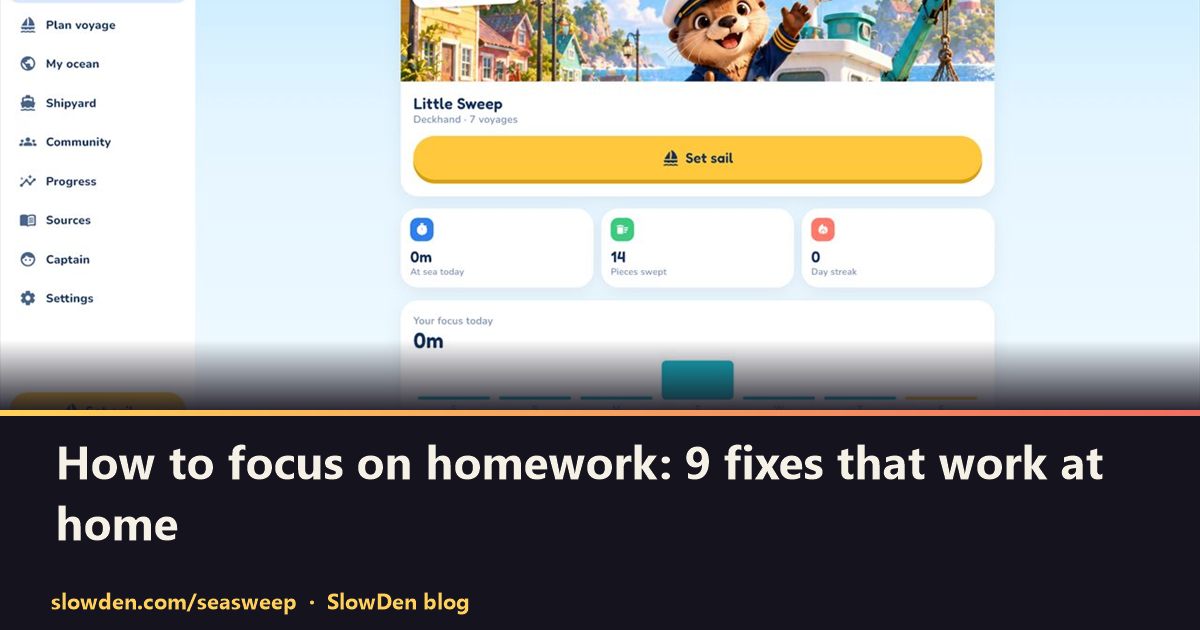
Make the distractions close themselves. On Windows, SeaSweep turns a homework session into a sea voyage:
- pick a route; its length is the session, from 5 minutes up to 3 hours;
- while the ship sails, SeaSweep checks the window in front every 0.7 seconds and closes the apps you docked, such as Discord, Steam or Spotify, plus Instagram, YouTube and Snapchat tabs if you turn those on;
- there's no pause button, so a 25-minute route really is 25 minutes;
- it's free on the Microsoft Store.
Compare it with other options in SeaSweep vs Forest vs Windows Focus.
What should I do in a homework break?
Something with a natural end. If you want a game, pick one that finishes in a few minutes, not one with endless rounds:
- Sudoku by 3S Games: one grid.
- Snowprints by Minix Studio: one short penguin path puzzle.
- Gingerbread Town by NBD_Games: decorate one gingerbread house.
They are free Playgama partner games on slowden.com, made by the studios named, not by SlowDen.
Prefer the command line? In Windows Terminal: winget install 9N3F281GJT5T -s msstore
Get it: SeaSweep on the Microsoft Store (Store ID 9N3F281GJT5T). More: slowden.com/seasweep. Free browser games for after homework, from the same founder: slowden.com. SeaSweep is made by a 5 Gyres Ambassador. @5gyres #5GyresAmbassador
Common questions
How do you focus on homework?
Break it into small tasks, work in one timed session of 20 to 30 minutes, keep the phone out of reach, close distracting tabs and apps for the session, then take a short break.
How do I focus on homework when I'm tired?
Eat, drink water, and do one short session on the easiest task. If you're still exhausted, finish only what's due tomorrow and sleep.
How can I focus on homework with ADHD?
Short timed sessions, a written list of small tasks and removing distractions from the screen help many students, but everyone is different. Talk to a doctor, school counsellor or teacher about what support fits you; this article is not medical advice.
How long should a homework session be?
Start with 20 to 30 minutes and a five-minute break. Lengthen sessions only once that feels easy.
Is there a free app to block distractions while doing homework on a PC?
Yes. SeaSweep is free on the Microsoft Store for Windows and closes the apps and tabs you choose for the length of a session.
Browse the games
All 2961 free browser games on SlowDen — no download, no sign-up.