SlowDen.com › Blog › How to block Steam on a computer
How to block Steam on your computer while you study: Steam Families, startup apps, and an app that closes Steam and Roblox
there are three ways to block Steam on a computer, depending on who it's for. For a child's account, a parent can use Steam Families, which sets playtime limits and restricts games. To make Steam less tempting, stop it opening when Windows starts. And to block Steam only while you study, a free Windows app called SeaSweep closes Steam, along with Roblox, Minecraft and other launchers you choose, for exactly the length of a study session.
This article was written with the assistance of an AI writing program. Steam Families facts are from Valve's own announcement, Steam Families is here, read 27 November 2026; SeaSweep facts were read from its source code on 26 November 2026.
I make SeaSweep, a free study-focus app for Windows, and SlowDen.com, a free browser-game site. I like games; I just want them after the study, not during it.
How do parents block or limit Steam for a child?
With Steam Families, Valve's own family feature. According to Valve's announcement, family members are either adults or children, and adults can:
- allow access only to appropriate games;
- restrict access to the Steam Store, Community or Friends Chat;
- set playtime limits (hourly or daily) and view playtime reports;
- approve or deny a child's requests for extra playtime.
This is the right tool when the person being limited is a child with their own Steam account.
How do I stop Steam opening when my computer starts?
If Steam launches with Windows, it's waiting for you every time you sit down. In Windows 11, open Settings → Apps → Startup and switch Steam off. Steam still works when you open it yourself; it just stops greeting you at login.
How do I block Steam only while I'm studying?
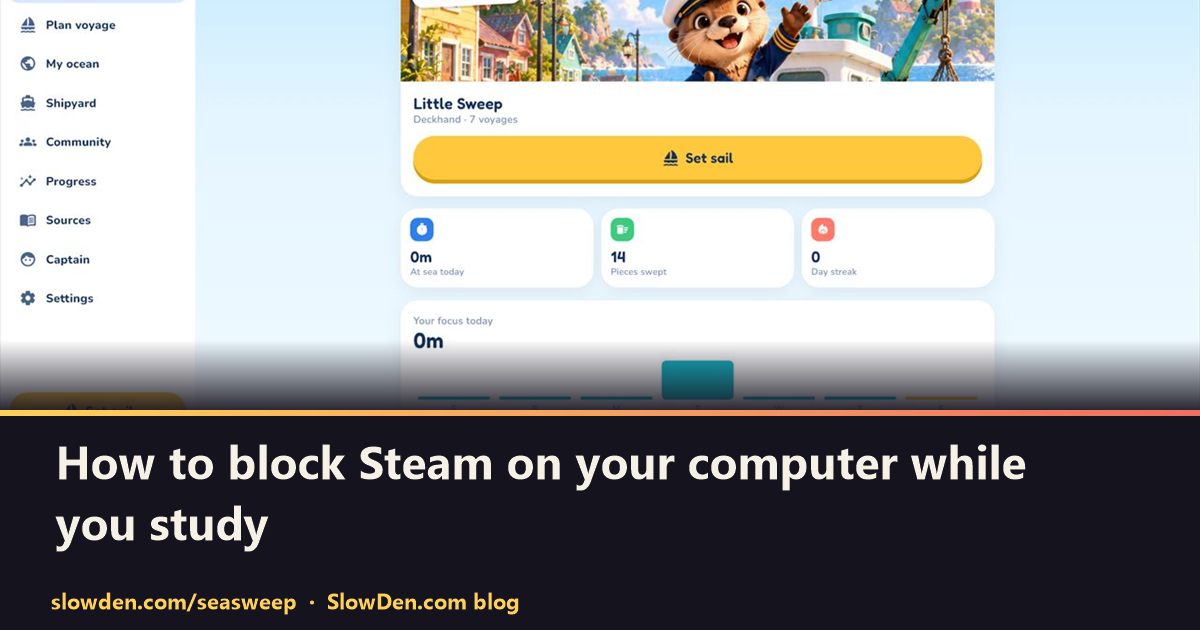
Willpower is hardest when the launcher is already open. On Windows, SeaSweep turns a study session into a sea voyage:
- you pick a route, and its length is your session, from 5 minutes up to 3 hours;
- while your ship sails, SeaSweep checks the window in front every 0.7 seconds;
- with its Games group on, it closes Steam, Epic Games, Roblox, Minecraft, Riot Client, League of Legends, Valorant, Battle.net and Fortnite, plus Poki, CrazyGames and Roblox tabs in your browser;
- Task Manager is closed too during a voyage, and there's no pause button, so pick a length you will actually finish;
- when the ship arrives, everything opens normally again.
SeaSweep doesn't block anything permanently and isn't a Pomodoro timer: it acts only during the voyage you start. It's free on the Microsoft Store. More: how to block games on Windows while studying.
Which option should I pick?
- A parent limiting a child's gaming: Steam Families.
- Steam distracts you the moment you log in: turn it off in Windows startup apps.
- You want Steam gone only during study sessions: SeaSweep.
You can combine them: startup off, plus SeaSweep for the sessions.
Prefer the command line? In Windows Terminal: winget install 9N3F281GJT5T -s msstore
Get it: SeaSweep on the Microsoft Store (Store ID 9N3F281GJT5T). More: slowden.com/seasweep. Free browser games for after the session, from the same founder: SlowDen.com. SeaSweep is made by a 5 Gyres Ambassador. #5GyresAmbassador
Common questions
How do I block Steam on my computer?
Use Steam Families for a child's account, turn Steam off in Windows startup apps, or close it during study sessions with a focus app like SeaSweep.
Can Steam limit how long a child plays?
Yes. Valve says Steam Families lets adults set hourly or daily playtime limits and view playtime reports for child accounts.
What apps block gaming while studying?
On Windows, SeaSweep closes Steam, Epic Games, Roblox, Minecraft, Valorant, Fortnite and other launchers during a study voyage, then lets them open again.
Does SeaSweep uninstall or permanently block Steam?
No. It only closes Steam while a study voyage you started is running.
Is SeaSweep free?
Yes. It's free on the Microsoft Store, for Windows.
Browse the games
All 2961 free browser games on SlowDen — no download, no sign-up.