SlowDen › Blog › Free online games for laptop
Free online games for laptop without downloading: 10 browser games for any Windows laptop (cricket included)
the easiest free online games for a laptop are browser games: they run in Chrome or Edge on Windows 10 or Windows 11 with nothing to download or install. Good ones to start with are Cricket Mania and Cricket Smash 3D (two cricket games), Moto X3M (a stunt bike time trial) and Mahjong Classic. All ten below are free on slowden.com, and each is made by the studio named next to it, not by SlowDen.
This article was written with the assistance of an AI writing program. Every game, studio and control below was read from SlowDen's catalogue on 26 November 2026.
Why play browser games on a laptop instead of downloading?
No install means no storage used, no admin password needed, and nothing left behind when you close the tab. It also means the same game works on an older Windows 10 laptop, a newer Windows 11 one or a Chromebook, as long as the browser is up to date.
Are there free online cricket games for laptop?
Yes, two:
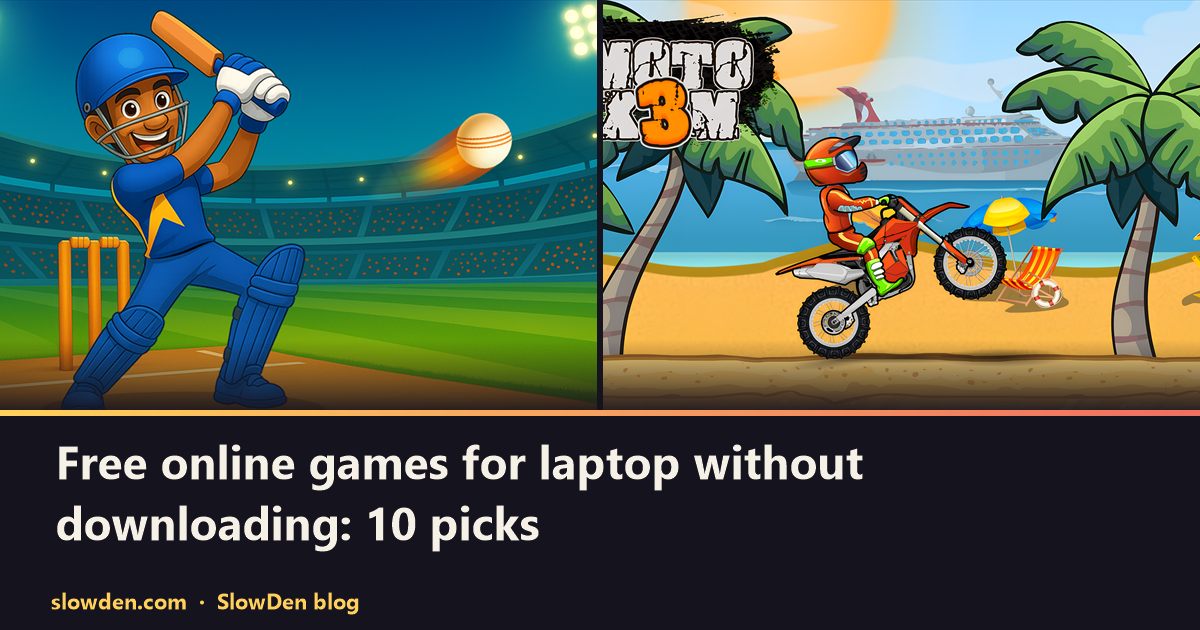
- Cricket Mania by Zop Technologies WLL. Score as many runs as you can before you lose your wickets: watch the bowler, read whether the delivery is straight, slow or fast, and press left or right in the timing window.
- Cricket Smash 3D by Tapfire. A 3D cricket game: press A to hit to the leg side and D to hit to the off side.
What are good keyboard games for a laptop?
- Moto X3M by MadPuffers. A stunt bike time trial: up to accelerate, down to brake, left and right to tilt. Flips take time off your run.
- Snow Rush 3D by gameVgames. A sled race two people can share on one keyboard (A, D, W and the arrow keys).
- Bikeburg by Flagwin Studio. A 3D open-world stunt bike game with 18 bikes.
What are relaxing laptop games with just a mouse or touchpad?
- Mahjong Classic by Igrunka Games. Mahjong solitaire whose boards are always solvable.
- Solitaire by minigame studio. Spider, FreeCell, Klondike and Pyramid in one.
- Sudoku Online by Smartberry. Classic 9-by-9 Sudoku.
Which laptop games can friends play together?
- Drawing Online by Whalebox. A drawing party game for up to 4 players.
- Krillion Unlimited, a developer-submitted word game listed on SlowDen. Answer open prompts and score more for answers that fewer people give. It's one of the most searched games on SlowDen.
Do these games work on Windows 10 and Windows 11?
They run in the browser, so the Windows version matters less than having an up-to-date Chrome, Edge or Firefox. 3D games like Cricket Smash 3D and Bikeburg run smoother on newer laptops. Nine of the ten are Playgama partner games, which play inside Playgama's player on SlowDen with Playgama's own ads; SlowDen asks for no sign-up.
Need to put the games away for exams? SeaSweep is a free Windows study-focus app from the same founder: while your ship sails, it closes the apps and game tabs you chose until the session ends. SeaSweep on the Microsoft Store (Store ID 9N3F281GJT5T) · slowden.com/seasweep. @5gyres #5GyresAmbassador
Common questions
What are free online games for laptop without downloading?
Browser games such as Cricket Mania, Moto X3M, Mahjong Classic and Solitaire run free in a browser tab on slowden.com, with no download.
Are there free cricket games for laptop?
Yes. Cricket Mania by Zop Technologies WLL and Cricket Smash 3D by Tapfire are free to play in the browser.
Can I play these games on Windows 11 or Windows 10?
Yes. They run in Chrome, Edge or Firefox on either version.
Can I play these games offline?
No. Browser games need an internet connection to load.
Who made these games?
The studios named next to each game. SlowDen lists them; it did not make them.
Browse the games
All 2961 free browser games on SlowDen — no download, no sign-up.