SlowDen.com › Blog › Block puzzle games on a school Chromebook
How to play block puzzle games on a school Chromebook: QBlock Puzzle, Tap Away 3D and Block Blast 2048 (free)
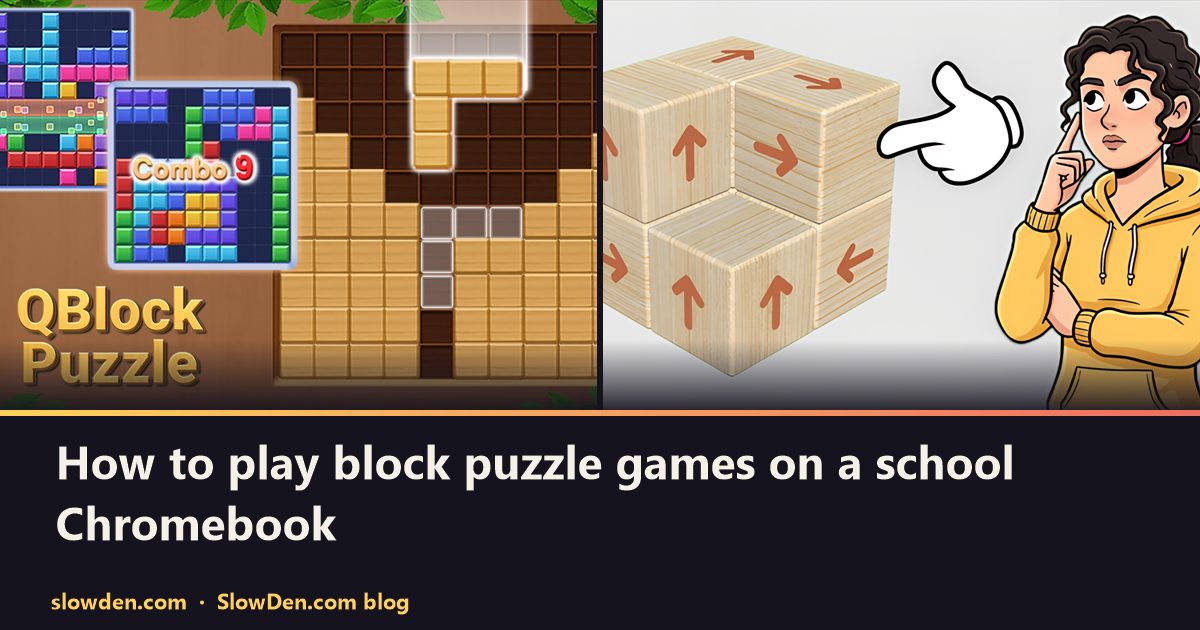
to play a block puzzle game on a school Chromebook, open it in Chrome; there is nothing to install. Three free ones on SlowDen.com: QBlock Puzzle (drag blocks to fill and clear lines), Tap Away Block Puzzle 3D (tap blocks so they fly off a rotating 3D shape) and Block Blast 2048 (merge matching numbers). Each works with a trackpad tap or drag, and each is made by the studio named below, not by SlowDen.com.
This article was written with the assistance of an AI writing program. Every rule and control below was read from SlowDen.com's catalogue on 27 November 2026, and every link was checked the same day.
One note on names: Block Blast 2048 is a number-merge puzzle by Dmitry FTD. It is not the Block Blast mobile app and is not connected to it.
Will these games work on a school Chromebook?
They run in Chrome, so a Chromebook can play them without installing anything. Whether slowden.com opens on a school network is decided by that network's own filter, not by SlowDen.com, and SlowDen.com does not help anyone get around one. If it opens, play in a break, not in class.
How do I play QBlock Puzzle?
About: QBlock Puzzle by Anna Inc is a classic wooden-block style puzzle.
How to play:
- Drag a block onto the board.
- Fill an entire row or column to clear it.
- Clearing lines gives you points and frees space.
- If a block doesn't fit anywhere, the game ends.
Controls on a Chromebook: press on the trackpad and drag the block, then let go.
Tips:
- Keep one row or column nearly empty for the long pieces.
- Place big blocks early, while the board still has room.
- Clearing a row and a column with one block frees the most space.
How do I play Tap Away Block Puzzle 3D?
About: Tap Away Block Puzzle 3D by Mirra Games is a relaxing 3D logic puzzle. Each block can only move one way, so the order you tap them in matters.
How to play:
- Swipe to rotate the puzzle and look at it from every side.
- Tap a block to send it flying away.
- Clear every block to win the level and unlock new themes.
Controls on a Chromebook: drag on the trackpad to rotate, tap to send a block away. A Remover power-up clears one stuck block at once.
Tips:
- Before tapping, rotate the shape: a block that looks free may be blocked from behind.
- Start with the outer blocks whose path is clearly open.
- Save the Remover for the one block that truly locks the puzzle.
How do I play Block Blast 2048?
About: Block Blast 2048 by Dmitry FTD is a calm number puzzle where matching numbers merge into bigger ones.
How to play:
- Tap adjacent blocks with the same number to merge them into a larger value.
- Each merge raises your score and frees space on the board.
- Keep going toward a new high score.
Controls on a Chromebook: tap the trackpad on the blocks you want to merge.
Tips:
- Space management is the whole game: merge in a way that leaves room.
- Scan the whole board for every matching pair before you tap.
- Before merging, look for the move that sets up the next merge.
Are there more games like these?
Yes. If you like sorting puzzles, try Ball Sort Puzzle by DRA (click a flask, then click where the ball goes) or Marble Color Sort by Drivix Games. More are in the puzzle games category.
Studying on that Chromebook's big brother, a Windows PC? SeaSweep is a free Windows study-focus app from the same founder that closes Steam, Roblox, Minecraft and other apps you choose until a study session ends: SeaSweep on the Microsoft Store (Store ID 9N3F281GJT5T). #5GyresAmbassador
Common questions
How do I play block puzzle games on a school Chromebook?
Open the game in Chrome; nothing needs installing. QBlock Puzzle, Tap Away Block Puzzle 3D and Block Blast 2048 all work with trackpad taps and drags. Whether the site opens at school depends on your school's filter.
Are these block puzzle games free?
Yes. All three are free to play on slowden.com. They are Playgama partner games, so Playgama may show ads inside its player.
Is Block Blast 2048 the same as Block Blast?
No. Block Blast 2048 is a number-merge puzzle by Dmitry FTD and is not connected to the Block Blast mobile app.
Do I need an account?
No. SlowDen.com asks for no sign-up.
Who made these games?
Anna Inc (QBlock Puzzle), Mirra Games (Tap Away Block Puzzle 3D) and Dmitry FTD (Block Blast 2048). SlowDen.com did not make them.
Also by SlowDen's founder: SeaSweep, a free focus app for Windows that closes distracting apps and tabs while you study (an app, not a game).